
diados
Extension of the Day

diados

5.0 FREE
  • Screenshot 1

Description

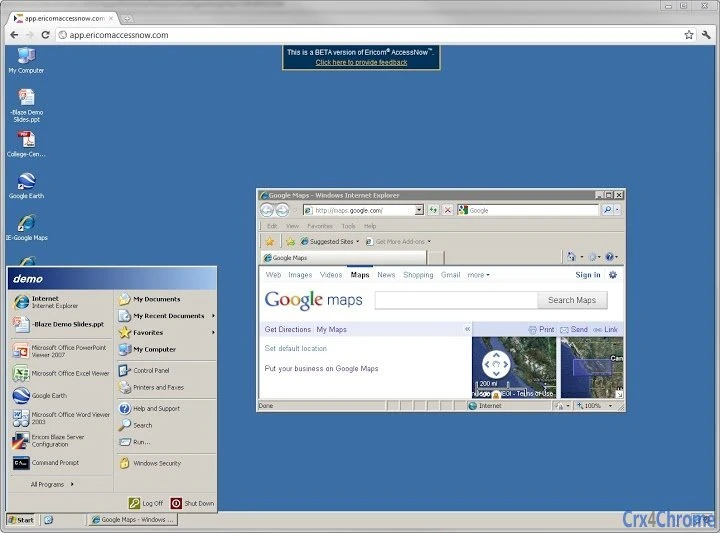
AccessNow RDP Client by EricomEricom AccessNow™ provides browser-based access to Windows applications and desktops, directly from within Chrome and any other HTML5 Web browser. Zero client install!* Quickly connect to TS / RDS / VDI-based Windows applications (Word, Excel, PowerPoint, Publisher, Adobe, Webex, etc.) and desktops from your Chromebook / Chromebox, iPad, Android device, Mac, Windows and Linux PCs and laptops* Check out special versions of AccessNow for Chromebooks, Citrix XenDestkop and VMware View: http://www.ericom.com/Ericom_AccessNow_Products.asp*AccessNow is simple to use, cost-effective and easy to maintain, with no need to download, install or configure any software or plug-ins on the end-point device – great for BYOD initiatives!* Reduce user device support overhead* Secure your remote computing environment using Ericom Secure Gateway. AccessNow also works with leading SSL VPNs such as Juniper and Cisco.* AccessNow supports over 35 languages on physical and virtual keyboards, including Japanese, Korean and Chinese, etc.* AccessNow is easy to use:1. Open a web page2. Enter the address of the Access Server (the Terminal Server or VDI platform)3. Enter your user credentials4. Press 'Connect' — The desktop (or application) appears directly inside the browser window – That's it!GETTING STARTEDInstall the Access Server component on the RDP host. Supported hosts include Windows XP, Windows 7 Professional and higher, Windows Server 2003, 2008, 2008 R2, 2012, 2012 R21. Download the AccessNow Server component from:http://www.ericom.com/pdl.asp?url_id=1220&pProduct=28&sp=222. After installing AccessNow Server, click on the link for the Client: http://app.ericomaccessnow.com and enter the parameters for the server.3. On Chromebooks, the Ericom link appears in the user’s Apps list.For full documentation, download the manual: http://www.ericom.com/doc/TechnicalReferences/EricomAccessNowAdminManual.pdf

Guides & Tutorials for AccessNow by Ericom (RDP client) App for Chrome

How to install AccessNow by Ericom (RDP client) App for Chrome
  1. Click the Preview / Download button above.
  2. Once redirected, accept the terms and click Install.
  3. Wait for the AccessNow by Ericom (RDP client) App for Chrome download to finish on your device.
How to use AccessNow by Ericom (RDP client) App for Chrome

This software is primarily used for its core features described above. Open the app after installation to explore its capabilities.

User Reviews for AccessNow by Ericom (RDP client) App for Chrome 0

    No reviews found

Similar Apps


